



Imagine this: You're in the back of a big conference for your field. In ten minutes, your presentation will begin. You've been getting ready for weeks, but now you have doubts. Did you get the opening right? Will your data connect with people? Are you going at the right speed?
Now picture having a strategic partner who has looked at thousands of successful presentations, knows about cognitive load theory, and can give you feedback right away on everything from your story arc to how you use your voice. That's exactly what's going on in meeting rooms and conference halls all over the world in 2026.
The use of AI for presentations has completely changed how successful leaders plan, practice, and give important speeches. But here's what most people don't get: the technology isn't taking the place of human knowledge; it's making it better in ways that seemed impossible just two years ago. The best performers aren't using AI to take shortcuts. They're using it as a smart training partner that helps them learn faster while still making the real human connections that make presentations stick in people's minds.
It's not about making slides or automating scripts. It's about creating a structured workflow that uses AI along with well-known communication rules based on neuroscience, performance psychology, and how adults learn. Leaders who get good at this integrated method aren't just giving better presentations; they're getting better at presenting faster than they ever could have using only the old ways.
In this complete guide, you'll learn about the five-step process that smart professionals are using right now. You'll learn how to avoid the most common mistakes that make AI-assisted preparation less effective, and you'll leave with a clear 30-day plan to build your own customized system.
Why AI Is Reshaping How Leaders Prepare Presentations
The changes that are happening in how people prepare presentations are more important than most people know. It's not just a simple technology upgrade; it's a big change in how professionals learn to communicate well. From presentation outline AI that builds compelling stories to advanced rehearsal systems that look at how you deliver, the tools available in 2026 are changing every step of the process.
The Evolution Beyond Traditional Preparation
The traditional way to improve your presentation skills was to go to a workshop, practice every now and then, and hope for the best before big presentations. The feedback loop was slow, unreliable, and often came too late to make real changes.
The workflow for 2026 is completely different. Leaders can now get ongoing, unbiased feedback on how they communicate. They're picking up on small habits like using filler words, rushing transitions, and unclear value propositions that used to go unnoticed until an executive coach pointed them out during expensive one-on-one meetings.
From a neuroscience point of view, it's interesting to see how this faster feedback loop affects how people learn new skills. Your brain makes stronger neural pathways that are linked to good communication behaviors when you get feedback right away and in a specific way. You're basically taking what used to take months of trial and error and turning it into focused, intensive practice sessions.
According to research from the Journal of Applied Psychology, professionals who practice on purpose and get feedback right away learn 40% faster than those who use traditional methods. The AI presentation workflow uses this faster learning method directly.
What Makes 2026 Different
Three major events came together in late 2024 and early 2025 to shape the world as we know it today. First, natural language processing has come a long way. AI can now not only understand what you say, but also how you say it. It can pick up on how confident you are, how your message resonates emotionally, and how convincing your structure is with impressive accuracy.
Second, because performance psychology principles are now part of AI feedback systems, you're not just getting technical feedback anymore. Now, the technology knows about cognitive load, how long people pay attention, and the psychological triggers that get people interested and make them want to do something.
Third, and this is what makes AI different from other tools that only do one thing, it can now create realistic presentation scenarios with audience reactions that change over time. When you rehearse presentations with AI, you don't just practice in front of a mirror anymore. You're going through rehearsals that put you under pressure and feel like real, high-stakes presentations in terms of emotions and how hard they are to think about.
Key Insight: The best leaders see AI as a partner in practice, not as a replacement for human knowledge. They're getting results that neither approach could get on its own by combining technology-driven insights with presentation coaching.
The Five-Stage AI Presentation Workflow
The methodical way of doing things that is getting amazing results follows a set order. Each step builds on the last, creating a full preparation system that covers every aspect of giving a great presentation.
Stage 1: Strategic Foundation and Audience Analysis
You need to be very clear about your strategy before you write anything or make a slide. Leaders who get great results in 2026 start by defining three things that can't be changed: audience psychology, what they want to happen, and how to structure the message.
Smart professionals use AI to figure out how their target audience likes to communicate, what problems they have in their industry, and what factors they use to make decisions. You're not just guessing what will work—you're using data-based insights about what actually makes people act in your specific situation.
This is a real-world example. Instead of thinking that your board members want detailed financial forecasts, you might find that they respond better to stories about how your company is positioned against competitors, backed up by certain data points. That one piece of information completely changes how you put together your whole presentation.
The strategic foundation stage answers these important questions:
- Who exactly are the people in your audience, and what keeps them awake at night?
- What change in belief or behavior are you trying to bring about?
- What is the most important thing that needs to be said?
- How does this presentation fit into the bigger picture of the organization?
Expert Perspective: When we work with executives from different fields, we've noticed that the best presentations start with very clear explanations of these basic ideas. Technology can speed up research and analysis, but human judgment sets the strategic direction.
Stage 2: Content Architecture and Narrative Design
You can start building your content architecture once your strategic foundation is strong. This is where AI for presentation skills really shines, but only if you keep creative control over the story you want to tell.
The most important thing is to use AI as a partner in coming up with ideas, not as a way to make content. You're using the technology to try out different narrative structures, test out different opening hooks, and improve how your ideas flow logically. Think of it as having a partner who is always available to brainstorm with you and who can quickly make prototypes of different methods.
In 2026, good leaders follow this order for developing content:
Step 1: Use classic storytelling rules to define your main story arc. Start by setting the scene, then add tension or opportunity, and finally guide the story toward resolution.
Step 2: Connect the main points of your message to the needs of your audience that you found in Stage 1.
Step 3: Use AI to make many different versions of important parts, like your opening hook and closing call to action.
Step 4: Compare each version to the rules of persuasion psychology: Does it make you curious? Establish trust? Show that it matters?
Step 5: Put together the best parts of your presentation while keeping your own voice.
It's not how advanced your AI tools are that makes a great presentation stand out from a bad one; it's how well you can judge the quality of your story. You need to know a lot about how people think to make decisions about how to pace emotions, put information in order, and build persuasive arguments.
A study published in the Harvard Business Review found that presentations that use narrative frameworks to organize their content are 65% more likely to be remembered than those that are just based on data and information. Your job is to make sure AI makes that narrative power stronger, not weaker.
Stage 3: Rehearsal and Performance Refinement
This is where the AI presentation workflow has the biggest effect. In the past, rehearsing meant either practicing alone or getting together with a few coworkers to get their thoughts. The 2026 method gives you access to advanced performance analysis that used to only be available through intensive presentation skills training.
Smart professionals now do 8 to 12 full rehearsal runs before big presentations. This isn't because they're insecure; it's because each run shows them specific ways to improve. You're keeping an eye on things like how consistent your pacing is, how varied your voice is, how smooth your transitions are, and where you put engagement triggers.
This is what a rehearsal session with a lot of performance looks like: While you give your full presentation, AI looks at dozens of different aspects of your performance at the same time. You get detailed feedback in minutes on things like:
Vocal dynamics: Are you changing the pitch, speed, and volume of your voice to keep people interested?
Filler word patterns: When do "um," "uh," and "like" show up in your speech?
Energy consistency: Is your excitement high the whole time, or does it fade in the middle?
Clarity checkpoints: Are your main points made with crystal clear accuracy?
The technology finds patterns that you would never have noticed on your own. When you talk about financial data, you might unconsciously speed up, which makes it harder for people to understand. Your voice might drop at the end of important sentences, making your message less powerful.
Practice Exercise: Record yourself giving a key part of your next presentation. When you listen to it again, pay attention to times when your energy drops or your message isn't clear. These are the best places to make improvements.
How AI Enhances Core Presentation Skills
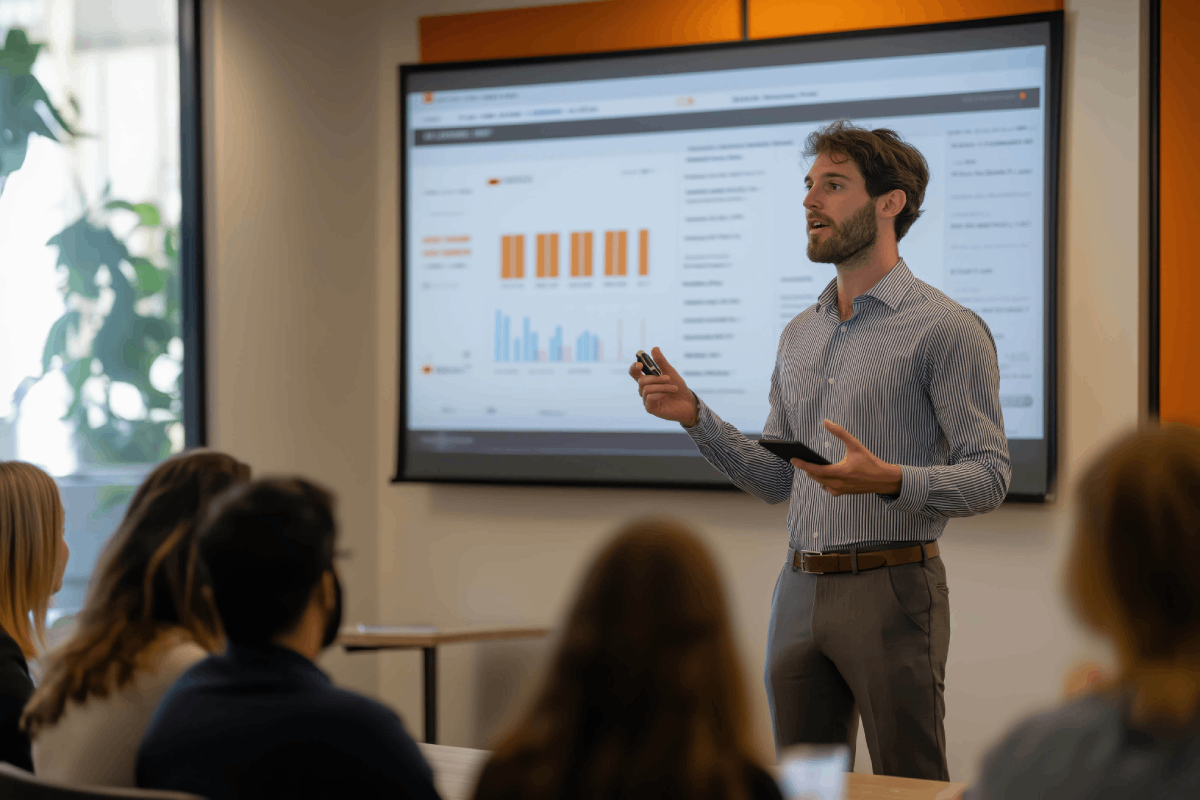
When you look at how AI integration improves basic communication skills, you can see its true power. This isn't about learning new skills; it's about honing the ones you already have with never-before-seen accuracy.
Strengthening Executive Presence Through Data
Executive presence is still one of those hard-to-develop qualities that people talk about all the time. You can tell when you see it: that powerful mix of confidence, credibility, and honesty that makes people lean in and listen.
AI makes things that can't be seen measurable. You are now keeping an eye on certain behaviors that help you have executive presence, such as making eye contact consistently, using purposeful gestures, taking strategic pauses, and speaking with authority. Beyond presentation script AI that helps you choose better words and make your message flow better, the technology doesn't tell you how to be more charming—it shows you exactly which changeable behaviors make your natural presence stronger.
One example is vocal authority. Stanford's communication lab found that speakers who change the pitch of their voice by at least 30% during presentations are seen as 47% more trustworthy than speakers who speak in a monotone voice. AI can keep track of how much your pitch changes in real time and help you develop a wider vocal range through targeted practice.
The same idea goes for being physically present. Instead of vague advice like "be more confident," you get specific feedback like "Your gesture frequency drops by 40% in the last third of your presentation, which tells your audience that you're running out of energy."
Pro Strategy: Each rehearsal cycle should focus on one aspect of presence. Don't try to perfect your gesture patterns at the same time as you're working on vocal variety this week. Layered skill development makes things better faster and in a way that lasts.
Refining Vocal Dynamics and Pacing
Your voice is the most important tool for making an impact in a presentation. The small changes in speed, pitch, and power say a lot more than just the words you say. The Journal of Business Communication says that how you use your voice affects up to 38% of how credible and persuasive people think you are.
The 2026 AI workflow lets you see your vocal patterns in a way that has never been possible before. You are figuring out exactly where you rush through important points, where strategic pauses would make things more powerful, and where you need to speak with more emphasis.
Here's what is especially useful: AI can look at your voice delivery and compare it to thousands of very good presentations to find areas where you can improve. You learn that the best speakers wait an average of 2.3 seconds before giving important data. This builds up anticipation and makes people pay more attention. You find out that the most convincing presenters slow down by about 15% during important call-to-action moments.
These are not general best practices. You can practice these evidence-based benchmarks on purpose until they become a natural part of how you deliver.
Practical Insight: The most common vocal mistake we see in executive presentations is speaking in a monotone voice during complicated parts. When speakers explain difficult ideas, they unconsciously make their voice less varied, which is exactly when more variety would help people understand.
Common Pitfalls Leaders Face With AI-Assisted Presentations
Knowing what doesn't work is just as important as knowing what does. The leaders who are having trouble integrating AI are making mistakes that are easy to see and hurt their presentations.
Over-Reliance on Generated Content
The worst thing you can do is think of AI as a content factory instead of a strategic helper. You know how these presentations are: they're well-organized, technically sound, and totally forgettable. They don't have the unique point of view and real passion that make people feel connected to the audience.
The issue is that AI makes content by looking for patterns in what it already knows. It can't add your unique insights, hard-earned knowledge, or real interest in the subject. If you let algorithms do your thinking for you, you end up with generic presentations that anyone could have given.
Good leaders are fully responsible for their main message and strategic direction. They use AI feedback for presentations to look at different options, improve delivery, and make the structure better, but the heart of the presentation stays unmistakably human.
Think about the talks that made you see things differently or pushed you to do something. They were able to do it because a real person with real knowledge and passion shared information that you couldn't get anywhere else. That's what you're protecting when you use AI as a tool instead of as a replacement for thinking for yourself.
Losing Authentic Voice
Your unique way of communicating is a valuable business asset. The way you naturally express ideas, the stories you tell, and the analogies you use all help people connect with you and remember you. AI can help you make your delivery better, but it shouldn't make your voice the same as everyone else's.
We're noticing a worrying trend: leaders are sounding more and more alike because they're all using similar AI systems that have been trained on similar data sets. Your goal is the opposite: using technology to make your unique communication style louder, not to get rid of it.
Set clear limits on how you use AI to protect your authenticity. Use technology to help you sort through information, find logical gaps, and improve transitions. But your stories, thoughts, and point of view have to be completely yours.
Mistake to Avoid: Don't copy and paste scripts made by AI. Instead, use them as rough drafts to work from. Seeing what AI makes can help you say what you really want to say more clearly.
Strategic Solutions:
- Keep a personal journal where you write down your own thoughts and experiences
- Create unique stories that only you can tell with real details
- Before you use AI tools, record yourself talking about your topic in a normal way
- Use AI to give feedback on structure, not to replace voices
Building Your Personal AI Presentation System
The leaders who get amazing results aren't using ready-made solutions; they're making their own systems that fit their needs, communication style, and work environment.
Customizing Your Workflow
There are a few things that will affect your best AI presentation workflow: how often you present, who your audience is, how complicated the content is, and how skilled you are right now. A sales leader who makes daily client pitches needs a different system than a CEO who gives board presentations every three months.
To begin, make a map of your presentation ecosystem. How many times a month do you give presentations? How long does it usually take to get ready? What are the best chances for you to improve your skills? These questions will help you design your system.
Efficiency is very important for presenters who do it a lot. You need streamlined processes for quickly making content and focused rehearsal plans. You might use AI more for analyzing your audience and getting feedback on your performance than for making content.
For people who give presentations that aren't very often but are very important, depth is more important than speed. Your system might focus on multiple rehearsals with detailed performance analytics and advanced ways to improve the narrative.
Customization Framework:
- Find the three hardest things about giving a presentation for you
- Find out which AI features can help with those problems right away
- Make a plan that includes those skills in your current routine for getting ready
- Use a low-stakes presentation to test the system
- Make improvements based on results and user feedback
Integration With Traditional Coaching
People who love technology don't want to hear this, but AI can't replace the nuanced advice of a skilled presentation coach. It can make coaching a lot more efficient and effective.
The best way to do this is to use AI-powered practice and analysis along with strategic human coaching at key points. You use technology to collect a lot of rehearsal and performance data. You hire professional coaches to help you with strategic direction, developing your authentic voice, and dealing with complicated communication problems.
Look at it this way: AI lets you know what's going on with your presentation. Expert coaches help you figure out why it's happening and what you can do about it. Together, the two approaches are much more powerful than either one on its own.
We've coached a lot of executives, and we've found that professionals who use AI for deliberate practice between coaching sessions make progress three to four times faster than those who only go to scheduled coaching appointments. The technology makes expert advice last longer by giving people constant feedback and holding them accountable.
Integration Strategy: Set up coaching sessions at important times during the preparation process, such as after the first draft of the content is done, halfway through the rehearsal, and a week before the presentation. Use the performance data that AI creates to make coaching time more useful and focused.
Measuring Success: Beyond Delivery Metrics

It's not how well you present your AI work that matters; it's the results you get and the skills you learn that matter.
Audience Engagement Indicators
Successful presentations make people do things like make decisions, change their behavior, adopt new ideas, and give resources. These outcome metrics, not just delivery quality, should be the main focus of your measurement framework.
Keep an eye on both immediate and delayed impact indicators. Immediate metrics are things like questions from the audience, how well the conversation went after your presentation, and key stakeholders reaching out on their own. Delayed metrics include real changes in behavior, recommendations that were put into action, and ongoing conversations about your ideas.
AI can help you make your content and delivery more interesting, but you need to use your own judgment to see if you're really getting your audience to do what you want them to do. It doesn't matter how good the presentation is if it doesn't get you the results you want.
Think about using surveys after the presentation that ask specific questions about how clear, persuasive, and action-oriented the presentation was. Look at these results from different presentations to see which parts of your AI-enhanced workflow are having the biggest impact.
Long-Term Skill Development
The best thing about using an AI presentation workflow isn't that it makes individual presentations better; it's that it speeds up skill development that builds on itself over time. You're learning how to present that will help you throughout your career.
Keep track of how your skills are improving in a number of areas, such as how well you tell stories, how well you analyze your audience, and how clearly you send strategic messages. Are you really getting good at something, or are you just becoming dependent on technology for each new presentation?
The best leaders use AI as a way to speed up development, not as a way to improve performance. They're working on specific skill gaps that AI analysis has found and then measuring how much better they get over weeks and months.
The Association for Talent Development's research shows that professionals who regularly assess their skills and practice them in a targeted way become experts 60% faster than those who just gain experience without focused efforts to improve.
Development Tracking Method: Make a simple skills matrix and rate your key presentation skills from 1 to 10. Check in every three months and celebrate real progress in the areas you want to improve.
Your 30-Day Implementation Roadmap
Nothing comes from theory without action. Here's a step-by-step plan for creating an AI presentation workflow that will show results in a month.
Week 1: Foundation and Assessment
- Find the next three presentations you need to get ready for
- Do an honest evaluation of your strengths and areas for improvement in your current presentation
- Look into and choose AI tools that fit your needs (2 to 3 at most)
- Set baseline metrics by recording yourself giving a normal presentation
Week 2: Workflow Design and Initial Testing
- Create your own five-step workflow that uses AI at key points
- Make templates for analyzing your audience, planning your content, and giving feedback on your rehearsal
- Give a low-stakes presentation to see how your workflow works
- Get some initial information about how quickly things can be done and how well they work
Week 3: Refinement and Skill Development
- Look at the results from Week 2 and find ways to make the workflow better
- Put a lot of effort into practicing your top development priority, whether it's vocal dynamics, storytelling, or executive presence
- Do 3–4 full rehearsals of your next big presentation
- Write down specific insights and chances to improve based on AI feedback
Week 4: Performance and Evaluation
- Give your presentation with the help of AI-enhanced planning
- Get feedback from the audience on how engaged they were and how it affected them
- Look at your baseline assessment and compare it to your performance metrics
- Improve your ongoing workflow based on what you've learned and what works
30-Day Success Indicators:
- 20–30% less time spent getting ready for similar presentations
- At least two performance areas (like vocal variety, pacing, clarity, etc.) should show measurable improvement
- More self-assurance when giving important presentations
- Established a sustainable workflow that doesn't need much extra time to work
It's not about choosing between human expertise and artificial intelligence; it's about using both in a smart way to make presentations that neither could make on their own.